

Instagram flagged my own reel as unoriginal. What now?


The Junibloom team
Building the growth OS for growing creators
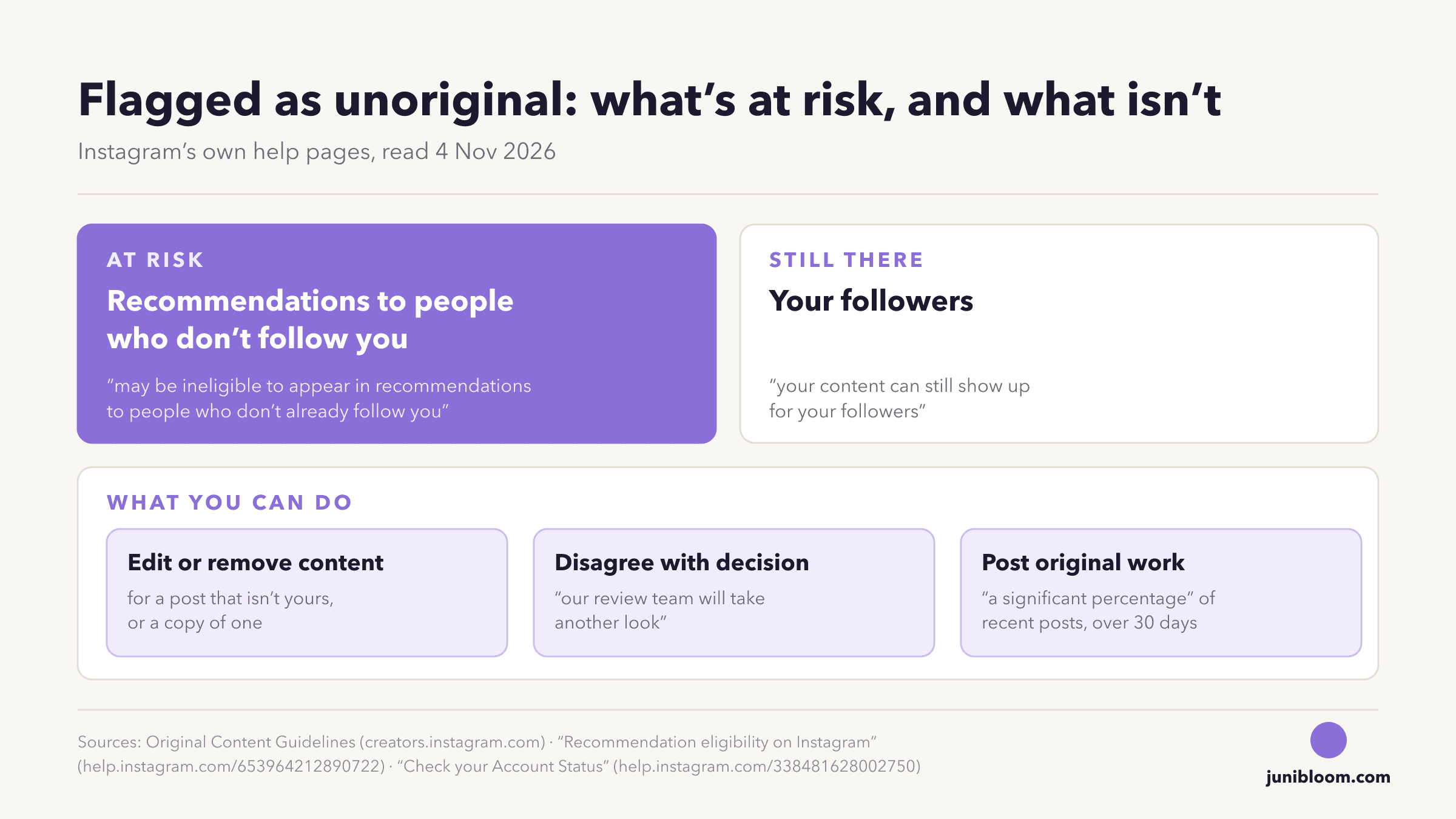
If Instagram says your own reel isn't original, open Account Status before you delete anything. Instagram's rules say unoriginal content "may be ineligible to appear in recommendations to people who don't already follow you," so the flag costs you strangers, not followers. On a professional account, Account Status shows which post, or what on your profile, is affecting your reach to people who don't follow you. From there you can edit or remove it, or, if you think Instagram got it wrong, tap "Disagree with decision" for another look. And the way back Instagram describes takes new work, not just deletions: an account can become eligible again "when a significant percentage of your recently posted reels, photos, and carousels are considered original in a 30-day period."
The short version:
- Open Account Status first. It shows whether Instagram is limiting your reach to people who don't follow you, and which content is behind it.
- Your followers still see you. Instagram: "Even if you're not eligible to be recommended, your content can still show up for your followers."
- Think it's a mistake? Say so in Account Status. Instagram admits "we may not always get it right," and its button for this is "Disagree with decision." No Instagram page we read gives a time for the review.
- Delete only what Account Status points at. When a whole account isn't eligible, Instagram says "none of your content will be recommended," so deleting other posts one by one may change nothing.
- The way back is a month of original posts: "a significant percentage" of your recent reels, photos and carousels, counted "on a rolling basis."
What Instagram counts as unoriginal 📋
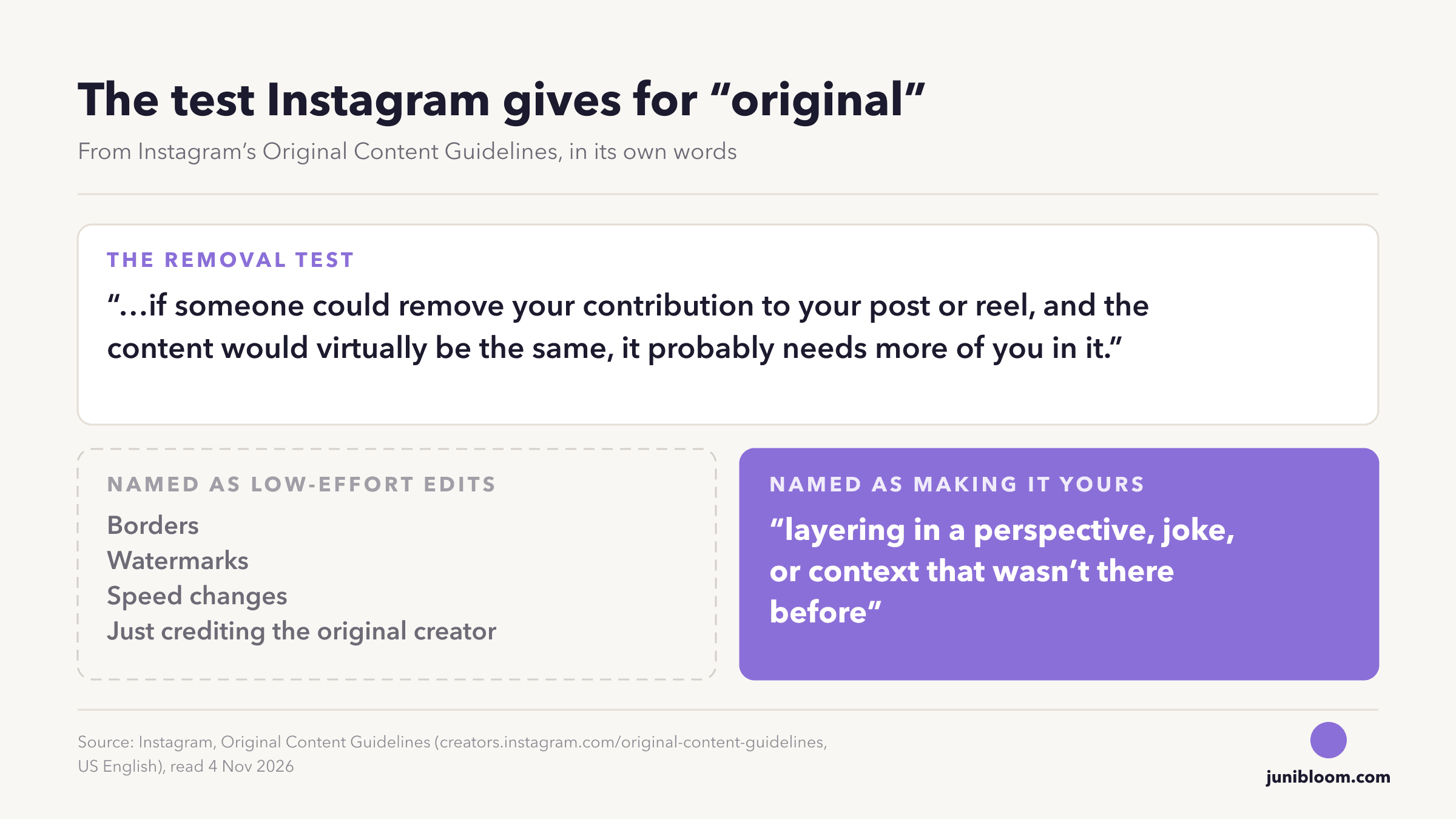
Instagram's Original Content Guidelines are written about other people's work: posting something you didn't make, or barely changed. The page boils it down to one test: "if someone could remove your contribution to your post or reel, and the content would virtually be the same, it probably needs more of you in it."
It also names the edits that don't count as a contribution, "borders, watermarks, speed changes, just crediting the original creator," and the kind that does: "layering in a perspective, joke, or context that wasn't there before."
The same rules cover photos and carousels since April 2026: "The same protections we introduced to reels in 2024 will now apply to photos and carousels." The same post says original content keeps growing on Instagram, "with 75% of recommendations in the US now coming from original posts."
So if you filmed it yourself, the rule isn't written about you, and that's what makes the flag feel so unfair. It's also why the useful question isn't "is my video original?" (you know it is) but "what does Instagram see that looks like a copy?"
Why your own reel can still get flagged 🔍
Instagram doesn't publish how it decides a single reel is unoriginal, so no page can tell you why yours was. What its pages do describe are a few ways your own work can look like a copy from the outside.
| What happened | What Instagram's pages say | What to do next |
|---|---|---|
| The same video went up before, on this account or another one | April 2024: when Instagram finds "two or more identical pieces of content," it "will only recommend the original one," if the original "is relatively new" and the match is made "based on audio and visual signals" | Post new footage. Don't re-upload the old file |
| It carries another app's logo | Adam Mosseri, August 2026: "The one thing to avoid is wordmarks from other apps." | Export a clean file |
| It's built around a clip you didn't film | The removal test: if your part could come out and the reel would be "virtually the same," it "probably needs more of you in it" | Add your own footage, voice or take |
The first row fits the creator who moves to a new page and brings old videos along. Instagram's help page defines original by account, not by person: "Content is original when it is created by the same account that posts it." Read literally, a video you first posted from your old account wasn't created by the new one. Instagram doesn't say how it treats that case, so if it's yours, "Disagree with decision" is the route it offers.
Post or account? What Account Status shows 🔎
Open your profile, tap the menu at the top right, then, below More info and support, tap Account Status. On a professional account it shows whether you've "recently or repeatedly posted content or have something on your profile (like your profile photo or bio) that goes against our Recommendations Guidelines." Those are the rules Instagram uses to decide what it recommends to people who don't follow you, and unoriginal content is one of the things on them: "Unoriginal content that is largely repurposed from another source with only minor, immaterial edits, without adding material value."
Two sentences from Instagram's recommendation eligibility page tell you what's at stake:
- "Even if you're not eligible to be recommended, your content can still show up for your followers."
- "If your account is not eligible to be recommended, none of your content will be recommended regardless of whether or not all of your content goes against our Recommendations Guidelines."
So a flag on one reel limits that reel. A flag on the account limits everything you post to strangers, the good reels included, until the account is eligible again.
Edit, remove, or disagree 🛠
Account Status gives you two buttons for what it shows you. Instagram's help page, step by step: "Tap Recommendations Guidelines to see if your content or something on your profile may be impacting the eligibility of all your content to be recommended to people who don't follow you. From here, tap Edit or remove content if you'd like to make changes." And: "If you don't think this content goes against our Recommendations Guidelines, tap Disagree with decision and our review team will take another look."
| What Account Status points at | Your move |
|---|---|
| A clip you didn't film, or a copy of something already posted | Edit or remove content |
| Your own footage, first posted from this account | Disagree with decision |
| Your own footage, first posted from another account | Disagree with decision, and post new footage from here on |
Nothing on the pages we read says how long a review takes (all read 4 November 2026). Instagram's guidelines do say why the button exists: "We do our best to distinguish accounts that meaningfully enhance third-party content from accounts that re-upload third-party content without adding material edits. However, we may not always get it right."
The fixes people suggest, and what Instagram says 🧾
Here are the fixes that come up in creators' threads, each set against Instagram's own pages.
| What people tell you | What Instagram's pages say |
|---|---|
| "Delete everything it flagged" | Account Status offers "Edit or remove content" for what it shows you. But when a whole account isn't eligible, "none of your content will be recommended," and the way back is new original work over 30 days |
| "Add a border or speed it up" | Both are named as low-effort edits: "borders, watermarks, speed changes" |
| "Credit the original creator" | Named as low-effort too: "just crediting the original creator" |
| "Stitch a few clips together" | "Simply stitching together clips or adding a watermark does not qualify as materially edited content." |
| "Add subtitles" | "Subtitle transcripts in the same language as the audio language" are listed as a minor edit |
| "Edit in Instagram's own app, not CapCut" | Mosseri: "You can make videos wherever you want, and it won't hurt your reach." Just leave off "wordmarks from other apps" |
| "Upload it again as a fresh post" | When copies are identical, Instagram "will only recommend the original one" |
What Instagram does recommend is short, and it's on its help page: post content "that you produce yourself or with approved partners," make material edits, and when you want to share someone else's post as it is, "we recommend reposting to your followers or sharing the content to your stories." The repost button is the route Instagram recommends for other people's work, and whether reposting hurts your reach covers what it does and doesn't limit.
How long until your reach comes back ⏳
Instagram gives a window, not a date. Its guidelines: you can become eligible again "when a significant percentage of your recently posted reels, photos, and carousels are considered original in a 30-day period. This is calculated on a rolling basis, and you can always check your standing in Account Status."
Neither the guidelines nor Instagram's April 2026 post defines "a significant percentage," so nobody can honestly tell you a count. What you control is the next 30 days: post things you made, and look at Account Status as you go. Your followers keep seeing you the whole time.
One more thing comes back with eligibility. Instagram's trial reels page says an account that is ineligible to appear in recommendations "will also lose access to trial reels," and regains them "once it's eligible to appear in recommendations again." If your Trial button went missing the same week as the flag, that's why, and trial reels stuck at 0 views covers the rest of that page.
❓ Questions people actually ask
Why is Instagram flagging my reels as unoriginal? Instagram doesn't say why it flags a single reel. Its pages describe what it treats as unoriginal: content "re-shared without a material edit," content the posting account "had no role in creating," and identical copies, where it "will only recommend the original one." Your own video can match that last one if the same file already went up, on this account or another.
Can Instagram flag my own video as unoriginal by mistake? Yes, and its guidelines say so: "we may not always get it right." Check the situations its pages describe first: an identical copy already on Instagram, another app's wordmark, or a clip you didn't film at the heart of it. If none of them fits, tap "Disagree with decision" in Account Status.
Does deleting unoriginal posts fix it? Removing a post Account Status points at is one of Instagram's own options ("Edit or remove content"). Deleting other posts at random isn't on any of its lists, and when a whole account isn't eligible, "none of your content will be recommended" until it is. The way back Instagram describes is new original work: "a significant percentage" of your recent posts, over a rolling 30 days.
How long does an unoriginal content flag last on Instagram? There's no fixed length. The guidelines tie the way back to your posts over a 30-day period, "calculated on a rolling basis," and none of the pages we read gives a time for a review.
How do I appeal an unoriginal content flag on Instagram? Open Account Status, tap Recommendations Guidelines, and if you don't think the content breaks them, tap "Disagree with decision." Instagram says "our review team will take another look."
Will my followers still see my posts? Yes. Instagram: "Even if you're not eligible to be recommended, your content can still show up for your followers." Its guidelines add that they "do not impact how we show people content from accounts they already follow."
Do faceless accounts count as unoriginal? Not for being faceless. Neither of Instagram's two originality pages mentions faces or being on camera (both read 4 November 2026), and one of the help page's examples of original content is "A photo you've posted on your feed of artwork you created." What the pages test is your part in it: content is unoriginal if "the account that posted it had no role in creating it." A faceless page that makes its own videos is fine on that test. One built on other people's footage needs material edits, which Instagram describes as "additional context that meaningfully enhance the entertainment, informational, or narrative value of the original content."
Does this apply to photos and carousels? Yes, since April 2026: "The same protections we introduced to reels in 2024 will now apply to photos and carousels."
Keep the record while you wait
An originality limit is hard to see in your view counts, because your followers keep watching while strangers quietly stop. That split is the one worth keeping. Junibloom takes a daily snapshot of your reach through Instagram's official API and keeps the follower half and the non-follower half apart, so the week a limit started, and the week it lifted, show up as a line rather than a guess. You connect through Instagram's own login on instagram.com, it only reads, and you can disconnect any time. It needs a professional account, which is free to switch to and is also what gets you Account Status's Recommendations Guidelines check.
If the drop you're looking at turns out not to be a flag at all, split the number before you blame the algorithm.