

Instagram's Replace Audio keeps your likes. It will not bring your reach back.


The Junibloom team
Building the growth OS for growing creators
Open the post, tap the three-dot menu, choose Edit, then Audio, pick your new track, and choose which part of the song plays before you save. That is the whole job, and the post keeps every like and comment it had. You can do it as many times as you like.
Two limits almost nobody mentions. It only works on feed posts and carousels using Instagram's in-app audio library, so a video you uploaded with its own sound is not covered. And it will not push the post back out to new people.
The short version:
- Instagram began rolling out Replace Audio on July 21, 2026, for published feed posts and carousels.
- Five taps: post, three-dot menu, Edit, Audio, new track. You then pick which section of the song plays.
- Unlimited swaps. The post keeps its likes, comments and shares, and holds the reach it has already earned.
- It does not relaunch the post. Instagram's head of creator product marketing, Jimmy O'Keefe, told Digital Trends that swapping the track "will not provide an algorithmic boost".
- So use it to repair a post, not to revive one. The "put a trending sound on your old posts" advice going around does not survive contact with that quote.
How to actually do it
| Step | What you tap |
|---|---|
| 1 | Open the published post on your profile |
| 2 | The three-dot menu at the top right |
| 3 | Edit |
| 4 | Audio |
| 5 | Your new track, then the portion of it you want |
That fifth step is the one the coverage skips. You are not stuck with whatever eight seconds Instagram grabs by default, which matters on a carousel where the hook of the song should land on the first slide.
Three things worth knowing before you go looking for the button.
It is the in-app library only. Digital Trends described the release as applying to posts "using Instagram's in-app audio library, rather than offering a full video editor for every kind of uploaded sound". If your video carries audio you recorded or mixed yourself, this tool is not for you.
Reels were not named. The original announcement covered standard feed posts and photo or video carousels. Treat Reels support as unconfirmed on your account until you see the option yourself.
The rollout is staged. The option can still be missing for you even though you watched someone use it in a screen recording this morning.
Before this, changing a track meant deleting the post and uploading it again. That wiped every like, comment and share, and reset the post's reach to zero. Creators asked for this for years. It is a real fix for a real problem.
Read the promise carefully 🔍
"Keeps the post's existing likes, comments, shares and reach intact" is a sentence about what you keep.
It is not a sentence about what you get.
Those are different claims, and nearly every write-up blurs them into one. The gap between them is the whole story.
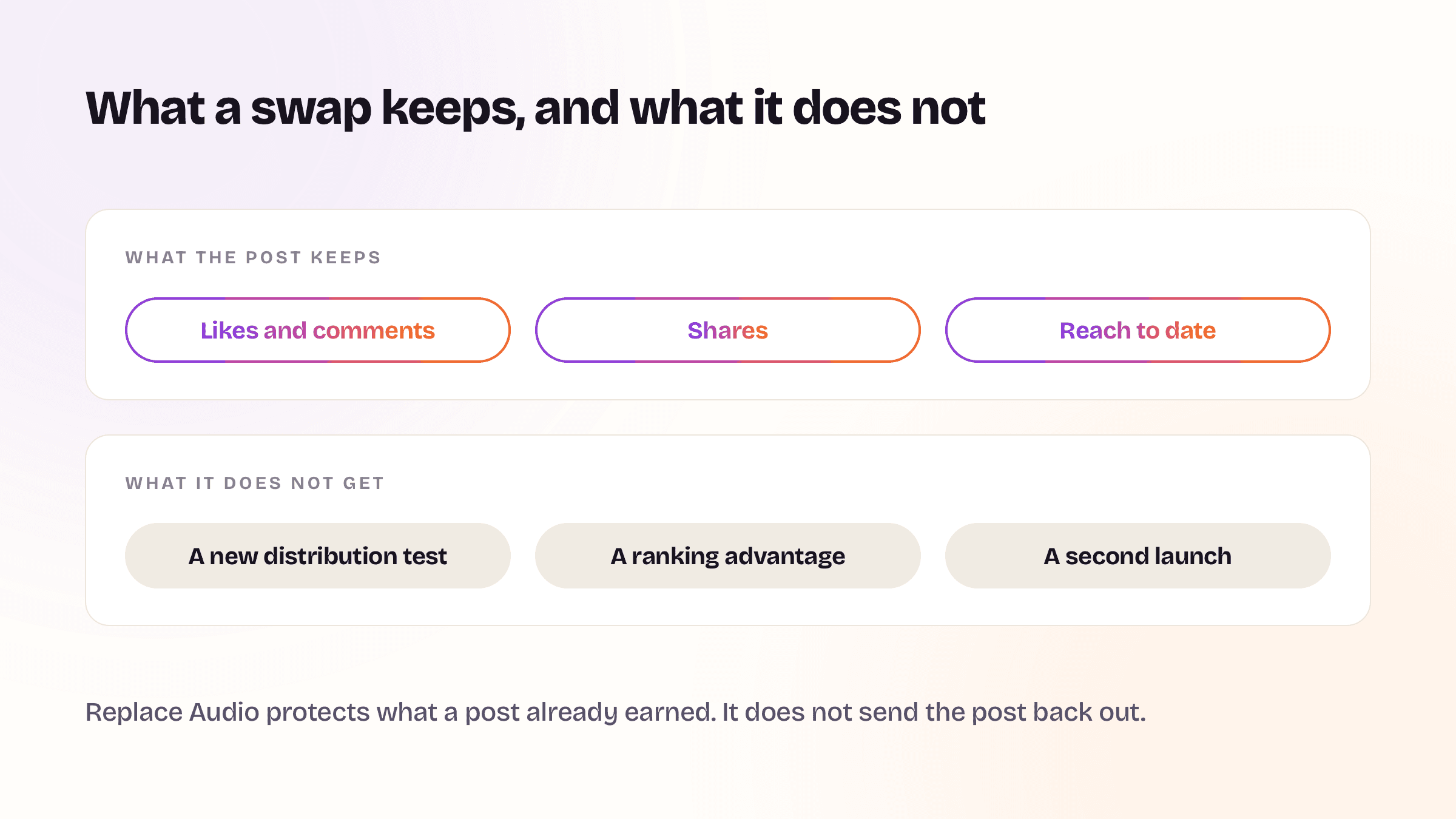
| The swap keeps | The swap does not give you |
|---|---|
| Likes and comments | A new distribution test |
| Shares and sends | A ranking advantage |
| Reach earned to date | A second launch |
| The post's URL and position on your grid | New eyes that were not already coming |
Why a trending sound will not revive an old post
Distribution on Instagram is decided at publish and in the hours right after. The post goes out to a slice of people, their behaviour is measured, and strong early signals buy it a wider audience.
It is worth being exact about which signal, because this is where most advice goes wrong. Mosseri's own comparison, written in a January 2025 caption, was between likes and sends for two different audiences: "likes are slightly more important for connected content, and sends are slightly more important for unconnected content." So for people who do not follow you yet, a send counts for slightly more than a like. That is the comparison he made, and it is the only one worth repeating.
Editing a published post does not restart that measurement. And here is the part that gets missed: the signals that expand a post are collected from people who are being shown it. If Instagram is no longer serving your six-month-old carousel to new accounts, a fresh soundtrack has nobody to convert. You have changed the audio for the people who already scrolled past.
There is a version of this worth being precise about. A swap can change how the post performs for the traffic it still gets, from your profile, from saves, from search. That traffic is usually small and steady. It is not a second launch, and if your reach has been sliding for other reasons, no edit will touch that. Diagnosing an actual drop is a different job, and it starts by splitting reach into followers and discovery before blaming anything.
Four things it is genuinely good for
| Use it when | Because |
|---|---|
| A track gets pulled or blocked in some regions | Your post goes silent or unavailable there, and your only old option was to leave it broken or delete a post with real engagement on it |
| You made a bad call on a post that is still working | Wrong track, blown levels, a song by someone you no longer want to be near. You stop having to choose between the mistake and the metrics |
| An evergreen carousel is still pulling saves | That accumulated history is the expensive part, and reposting to fix a small thing used to burn all of it |
| A pinned post is your shopfront | Pinned posts are what a new visitor sees first, and their audio is the track most first-time visitors hear from you |
Notice what these have in common. Every one is repair or maintenance. None is growth.
How to tell whether it did anything
If you swap audio on a post that matters, measure it properly instead of guessing:
- Write down the post's reach, saves and sends before you touch it. A screenshot works.
- Change one thing. Just the audio, not the caption, not the cover.
- Wait a full week, then compare the same three numbers.
- Expect flat. If something moved, look for the real cause before crediting the swap. A story link, a share into a group chat, or a new post driving profile visits all explain a bump better than a new song does.
That is the same one-variable discipline that settles posting-time questions, and it fails for the same reason in practice. Almost nobody sustains it.
Common questions ❓
How do you change the song on an Instagram post? Open the post, tap the three-dot menu at the top right, choose Edit, then Audio, then pick a new track and the part of it you want to play. Save. The post stays live the whole time.
Will I lose my likes if I change the audio? No. That is the entire point of the feature. The post is edited rather than deleted and re-uploaded, so likes, comments and shares stay attached to it.
Can I change the audio on a Reel? Reels were not named in the original announcement, which covered feed posts and carousels. If the Audio option does not appear on your Reel, the feature has not reached that format on your account.
How many times can I replace the audio? As many as you want. Digital Trends reported creators can replace the audio an unlimited number of times without losing existing engagement.
Does replacing the audio boost the post? No. Instagram's head of creator product marketing, Jimmy O'Keefe, told Digital Trends the swap "will not provide an algorithmic boost". It protects a post's history rather than restarting its distribution.
Why can I not see the Edit or Audio option? Either the staged rollout has not reached your account yet, or the post is not eligible. The feature covers feed posts and carousels using Instagram's in-app audio library, not video you uploaded with its own sound.
The part that makes this hard to check
Instagram's own analytics show you a total, not a timeline. A post's reach going from 12,400 to 12,700 tells you nothing about which day those 300 arrived. Worse, the window is rolling: Meta's Instagram Platform documentation states that "User Metrics data is stored for up to 90 days", so last quarter's baseline is already out of the free app's view. Any before-and-after test on an edited post is guesswork unless you were already recording daily. That limit, and what to do about it, is worth understanding properly before you run any test on your own account.
That gap is the thing Junibloom was built to close. It takes a daily snapshot of your posts through Instagram's official API, so every reach and saves figure has a date attached. Swap audio on a post and you can look at the line and see it flat before and flat after, which is the honest answer most of the time, or see it move and know exactly which day it moved. The same history is what keeps a media kit showing your real current numbers instead of a screenshot from whenever you last remembered to take one.
The one-line takeaway
Replace Audio protects a post's history rather than restarting it, so use it to fix what is broken and stop waiting for a second launch that is not coming.